


Are you struggling to keep your KitchenAid refrigerator at the perfect temperature? Setting it too cold can freeze your food, while too warm might spoil your groceries faster.
Knowing how to adjust the temperature correctly can save you money, reduce food waste, and keep your meals fresh longer. In this guide, you’ll discover simple steps to fine-tune your fridge’s temperature quickly and easily. Keep reading to learn how to take control of your KitchenAid refrigerator and make it work just right for you.

Credit: www.grandappliance.com
Locate The Temperature Controls
Locating the temperature controls on your KitchenAid refrigerator is the first step to keeping your food fresh. These controls let you set the right temperature for the fridge and freezer compartments. Knowing where to find them saves time and avoids confusion.
Most KitchenAid refrigerators have temperature controls inside the main fridge area. They can be on the top, side walls, or near the back. Some models use digital control panels, while others have simple dials or sliders.
Finding The Control Panel
Look inside the refrigerator door or along the top edge of the fridge compartment. The control panel may be a touchscreen or a row of buttons. This panel shows the current temperature and lets you adjust settings.
Checking For Manual Temperature Dials
Older KitchenAid models often have manual dials. These are usually round knobs marked with numbers or coldness levels. You can turn them to change the temperature inside the fridge or freezer.
Using The Owner’s Manual
The owner’s manual provides detailed instructions and diagrams. It shows the exact location of the controls for your specific model. If you don’t have a physical copy, you can find it online on the KitchenAid website.
Identifying Separate Controls For Fridge And Freezer
Some refrigerators have separate controls for the fridge and freezer. These controls may be side by side or in different locations. Knowing which control affects each compartment helps set the correct temperature.

Credit: www.poiriersales.com
Set The Refrigerator Temperature
Setting the right temperature for your KitchenAid refrigerator is key to keeping your food fresh and safe. Too cold, and you risk freezing your veggies; too warm, and leftovers spoil faster. Let’s look at how to find and set the perfect temperature to suit your needs.
Recommended Temperature Range
The ideal refrigerator temperature is between 35°F and 38°F (1.7°C to 3.3°C). This range keeps your food fresh without freezing it.
Keep your freezer at 0°F (-18°C) to maintain frozen goods properly. Temperatures outside these ranges can cause food spoilage or freezer burn.
Do you know when you last checked your fridge temperature? A quick thermometer check can reveal if adjustments are needed.
Adjusting Using Digital Controls
If your KitchenAid fridge has digital controls, adjusting the temperature is straightforward. Usually, you’ll find buttons labeled with temperature icons or plus (+) and minus (-) signs on the control panel.
- Press the temperature button to display the current setting.
- Use the plus or minus buttons to raise or lower the temperature in small increments.
- Wait a few hours and check with a thermometer to ensure the new setting is right.
Digital controls often allow you to set separate temperatures for the fridge and freezer sections, giving you greater control.
Adjusting Using Dial Controls
Older KitchenAid models may feature dial controls inside the fridge. These dials usually have numbers ranging from 1 to 9 or 1 to 7.
- Lower numbers make the fridge warmer.
- Higher numbers make it colder.
- Set the dial around the middle number to start and adjust based on how cold your food feels.
Keep in mind, dial adjustments take longer to affect the temperature, so give it at least 24 hours before making another change.
Have you noticed uneven cooling in your fridge? Sometimes adjusting the dial slightly can balance temperatures better.
Set The Freezer Temperature
Setting the freezer temperature on your KitchenAid refrigerator is essential for keeping your frozen foods fresh and safe. If the temperature is too high, your food might spoil faster. Too low, and you risk freezer burn or excessive energy use.
Ideal Freezer Temperature
The best temperature for your freezer is typically around 0°F (-18°C). This setting keeps food frozen solid while preserving flavor and texture. Temperatures above 0°F can cause thawing, and much lower temperatures don’t improve preservation but increase electricity bills.
Have you ever noticed frost buildup inside your freezer? That could be a sign your temperature is set incorrectly. Maintaining that ideal 0°F prevents frost and keeps your freezer running smoothly.
Adjusting Freezer Settings
Most KitchenAid refrigerators have a digital control panel or a dial inside the freezer compartment to adjust the temperature. To change it:
- Locate the control panel, usually at the top or side of the freezer.
- Press the freezer temperature button or turn the dial to your desired setting.
- Wait a few hours after adjustment to let the temperature stabilize before checking again.
Some models allow fine-tuning in one-degree increments, while others use ranges like “cold,” “colder,” or “coldest.” Check your user manual if you’re unsure about your model’s controls.
Have you checked your freezer temperature lately? You might be surprised how often it drifts from the ideal setting without you noticing.
Use The Quick Cool Feature
The Quick Cool feature lowers the fridge temperature quickly to keep food fresh. Activate it to chill items faster during warm days or after restocking. This helps maintain the right temperature without constant manual adjustments.
Adjusting the temperature of your KitchenAid refrigerator can seem like a daunting task, but utilizing the Quick Cool feature makes it a breeze. This feature is designed to rapidly lower the temperature of your fridge, perfect for when you’ve just stocked up on groceries or need to chill drinks quickly. It’s a handy tool that ensures your food stays fresh and drinks are ready to serve in no time. Let’s dive into how you can make the most of this feature in your KitchenAid refrigerator.
Understanding The Quick Cool Feature
The Quick Cool feature is like a power boost for your fridge. It temporarily sets the temperature to the coldest setting. This is particularly useful after a big grocery haul. Imagine coming back from the store with bags full of perishable items. Instead of waiting for hours for them to cool, you simply activate Quick Cool.
Activating Quick Cool
Activating this feature is simple. Locate the control panel inside your refrigerator. Look for the Quick Cool button. Press it, and you’re done! Your refrigerator will work extra hard to bring down the temperature quickly.
When To Use The Quick Cool Feature
Quick Cool isn’t just for post-shopping scenarios. It’s also great for party prep. If you’re hosting a gathering and need chilled beverages quickly, this feature is your best friend. Another smart use is after a power outage. The fridge works to restore the optimal temperature swiftly.
How Long Does Quick Cool Last?
The Quick Cool feature typically lasts for 24 hours. This timeframe ensures your items reach the desired temperature efficiently. After 24 hours, the fridge returns to its normal settings. You don’t need to worry about turning it off manually.
Monitoring Temperature Changes
Always keep an eye on your refrigerator’s internal thermometer. Use the control panel to check the current temperature. If you notice fluctuations, it might be a good time to use Quick Cool again. Regular monitoring helps maintain food quality.
Benefits Of Using Quick Cool
The benefits of using Quick Cool extend beyond convenience. It helps maintain the integrity of your food by preventing spoilage. Quick Cool also aids in energy efficiency. By reducing the time your refrigerator needs to cool items, you save on energy bills.
Final Thoughts On Quick Cool
Isn’t it amazing how a simple feature can make life easier? Quick Cool is like having a personal assistant for your fridge. Next time you’re in a bind, remember this little button. Your KitchenAid refrigerator is designed to make your life simpler. Use these features to your advantage and enjoy the benefits.
Check Temperature Accuracy
Checking the temperature accuracy of your KitchenAid refrigerator helps keep food fresh and safe. The built-in thermostat might not always show the exact temperature. This makes it important to verify and adjust for precise cooling.
Using A Thermometer
Place a refrigerator-safe thermometer inside the fridge. Choose a spot in the middle, away from vents and door openings. Let the thermometer sit for a few hours to get a steady reading. Check the temperature display on your fridge and compare it to the thermometer’s reading. This helps find if the fridge is too warm or cold.
Allowing Time For Adjustment
After changing the temperature setting, wait at least 24 hours. The fridge needs time to reach the new temperature. Avoid opening the door often during this time. After 24 hours, check the thermometer again. Repeat adjustments if needed until the temperature is right.
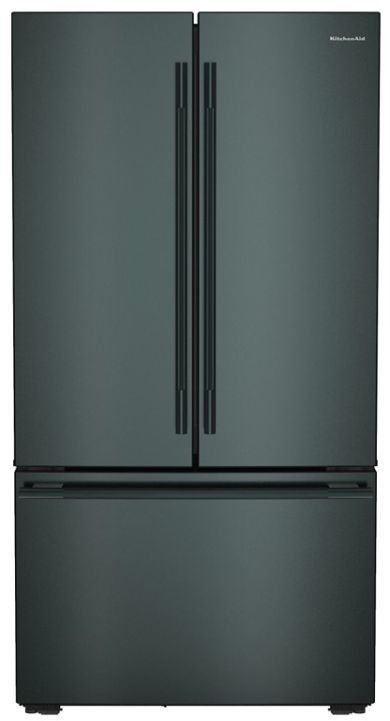
Credit: www.alabamaappliance.com
Troubleshoot Temperature Issues
Temperature problems in a KitchenAid refrigerator can cause food to spoil or freeze unexpectedly. Troubleshooting these issues helps maintain the right coldness. It also saves energy and extends the fridge’s life. Start by understanding common causes of temperature changes. Then learn when it is best to get professional service.
Common Causes Of Temperature Fluctuations
- Door left open or not sealing properly
- Thermostat set too high or too low
- Blocked air vents inside the fridge
- Dirty condenser coils reducing cooling efficiency
- Frequent or prolonged door openings
- Faulty temperature sensor or control board
- Overcrowding, which blocks air circulation
- Power outages or voltage issues
Check the door seal for gaps or dirt. Adjust the thermostat to the recommended setting, usually between 37°F and 40°F for the fridge. Clear any items blocking vents. Clean the condenser coils every six months. Avoid overpacking the fridge to allow air flow. Monitor how often the door opens. These steps often fix minor temperature swings.
When To Call For Service
- Temperature remains too warm or too cold despite adjustments
- Frost buildup inside the freezer or fridge
- Strange noises or frequent running of the compressor
- Water leaks or pooling inside or under the fridge
- Control panel or display malfunctions
- Unusual smells or signs of electrical issues
Persistent problems indicate a deeper issue. Professional technicians can diagnose and fix complex faults. Regular maintenance helps prevent future failures. Contact KitchenAid service if you suspect a mechanical or electrical problem. Safety and food quality depend on a properly working refrigerator.
Maintain Optimal Performance
Maintaining optimal performance in your KitchenAid refrigerator ensures it runs efficiently. A well-maintained fridge keeps food fresh longer and saves energy. Simple habits can prevent common issues and keep temperatures stable.
Regular Cleaning Tips
Clean the refrigerator coils at least twice a year. Dust and dirt on coils make the compressor work harder. Wipe shelves and drawers with mild soap and warm water. Remove spills immediately to avoid odors and stains. Check door seals for dirt and clean gently to keep a tight seal. Replace any damaged seals to prevent cold air leaks.
Proper Food Placement
Arrange food to allow air to flow freely inside. Avoid blocking vents with large containers or bags. Store raw meat on the bottom shelf to prevent drips. Keep fruits and vegetables in designated drawers with humidity control. Do not overfill the fridge; overcrowding reduces cooling efficiency. Leave space between items to help air circulate evenly.
Frequently Asked Questions
How Do I Change The Temperature On A Kitchenaid Refrigerator?
To change the temperature, locate the control panel inside your KitchenAid fridge. Use the buttons to increase or decrease the temperature. Usually, fridge temperature ranges from 35°F to 38°F for optimal freshness.
What Is The Ideal Temperature For A Kitchenaid Fridge?
The ideal temperature for a KitchenAid refrigerator is between 35°F and 38°F. This range keeps food fresh and prevents freezing. Adjust settings if food spoils quickly or if frost forms inside.
How Long Does It Take To Adjust The Fridge Temperature?
It takes about 24 hours for temperature changes to stabilize in a KitchenAid fridge. Avoid frequent adjustments. Check the temperature with a fridge thermometer to ensure accuracy after waiting.
Why Is My Kitchenaid Refrigerator Too Warm After Adjustment?
If your fridge feels too warm, check the door seal and ventilation. Avoid frequent door openings. Ensure the temperature setting is low enough to maintain coolness between 35°F and 38°F.
Conclusion
Adjusting the temperature of your KitchenAid refrigerator is simple and quick. Check the settings regularly to keep food fresh and safe. Small changes can make a big difference in cooling. Trust your senses—if food feels too cold or warm, tweak the temperature.
This helps save energy and reduces waste. Keep your fridge working well by adjusting it as needed. A well-set fridge means fresher food and fewer problems. Give your KitchenAid the care it deserves for better results every day.


